

Your complete guide to OptiScript — the AI-powered metadata & growth engine for YouTube and Facebook. Learn how to generate high-converting headlines, tags, and hashtags.
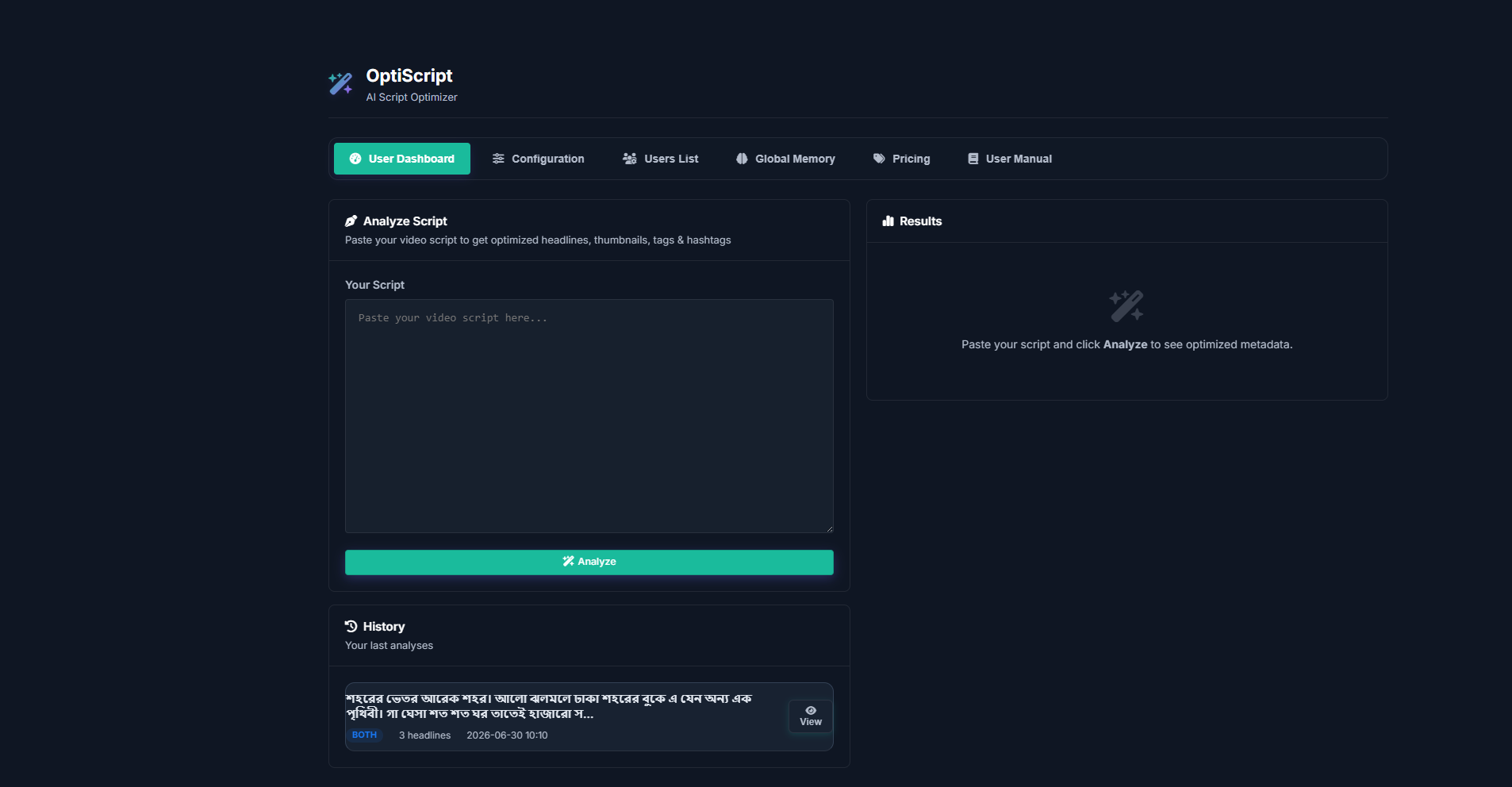
Upload your video script and get AI-optimized headlines, tags, and hashtags for YouTube and Facebook.
Paste your video script or any text content into the input area. The AI will analyze the core message, emotion, and keywords of your script.
Press the Analyze button. OptiScript's AI will deeply analyze your content and generate optimized metadata for both YouTube and Facebook platforms.
The AI returns platform-specific results:
Use the Copy buttons to copy headlines, tags, or hashtags individually. Paste them directly into your YouTube or Facebook upload page.
Tip: For best results, write a detailed script with clear context. The more the AI understands your content, the better the generated metadata will be.
Important: AI-generated metadata are suggestions. Review them before publishing to ensure accuracy and alignment with your brand voice.
Everything you need to get started with OptiScript — from account setup to advanced metadata features.
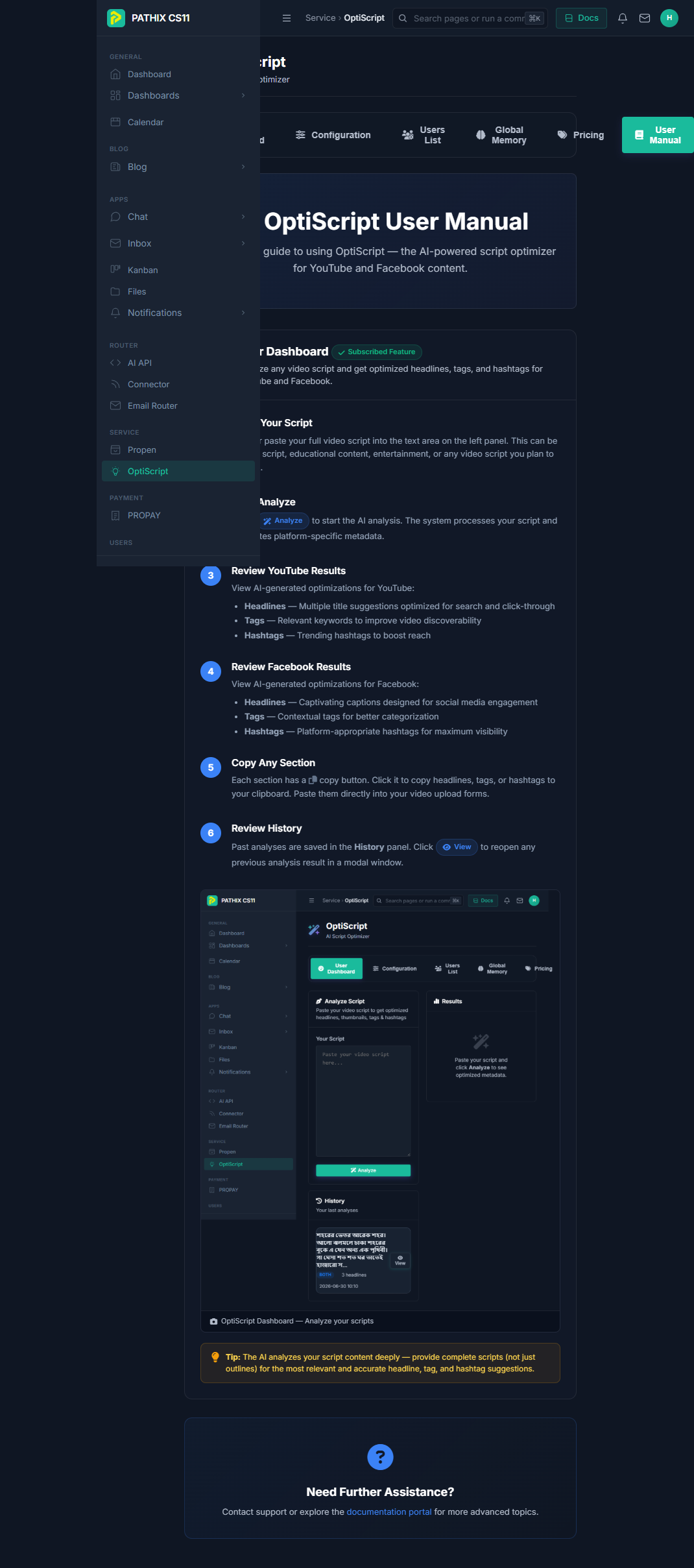
Navigate to the OptiScript link in the sidebar or visit /optiscript/ directly. If you have an active subscription, you will see the full dashboard with all feature tabs.
The dashboard is organized into several tabs:
Choose a plan from the Pricing tab. Free plans activate immediately; paid plans go through a checkout process. Once activated, all core features unlock automatically.
For additional assistance, contact the support team or refer to the in-app User Manual tab. Admin users can customize the User Manual text and add a YouTube tutorial link from the dashboard settings.
Tip: Bookmark the User Manual page for quick access whenever you need it.